Discover ABO Connect, the innovative $5 Blender addon providing instant, on-demand access to over 8,000 free, high-quality 3D models from the vast Amazon Berkeley Objects (ABO) dataset, drastically optimizing your storage and ArchViz workflow.
The sheer volume of high-quality 3D assets available today is both a blessing and a curse. While libraries like the massive Amazon Berkeley Objects (ABO) dataset offer nearly 8,000 free, professional-grade models, downloading the full 140GB package is impractical for most artists. This massive resource has historically remained inaccessible due to its colossal storage footprint.
Revolutionizing Asset Workflow: Access 8,000 Models on Demand
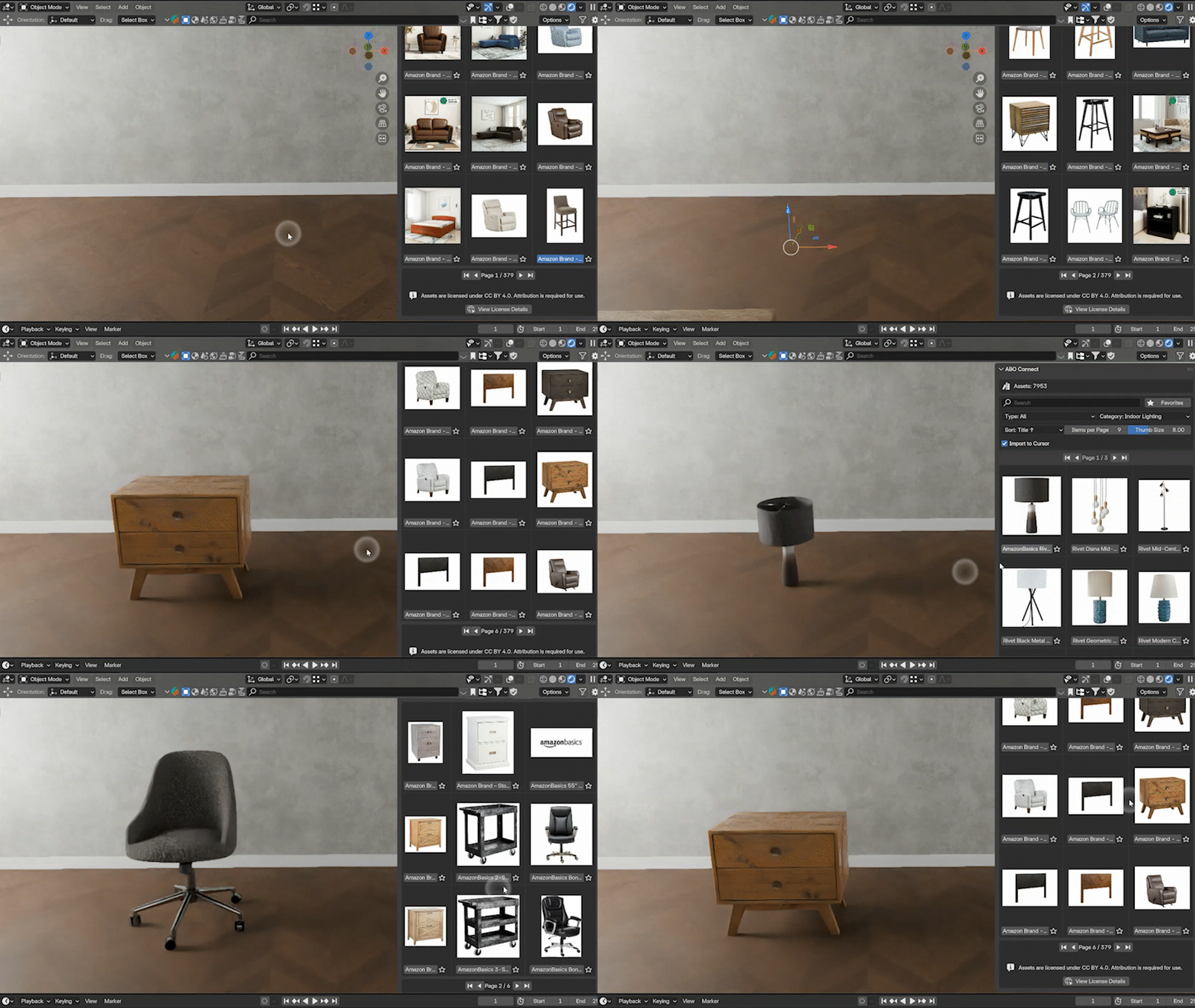
Enter ABO Connect—an elegant solution built by a dedicated creator (who refers to himself as the developer) to bridge this accessibility gap. This simple $5 addon is not just another model pack; it acts as a lightweight 🔗 bridge that connects your Blender viewport directly to the entire ABO database. The result? Browsing and importing from this massive library becomes as simple and intuitive as a local asset browser, but without the storage burden.
The ABO dataset itself is an incredible industry-grade resource, offering assets ranging from furniture and electronics to home goods and toys, all ready to bring complex scenes to life. The developer of ABO Connect saw the potential of these assets, which are provided in the glTF 2.0 format and include High-Quality PBR Textures (up to 4K Base Color, Metallic, and Roughness maps), making them ideal for high-fidelity work like ArchViz.
Why Local Storage is Now Obsolete
The fundamental value proposition of ABO Connect lies in its smart, on-demand workflow. Instead of requiring you to dedicate 140GB of precious disk space to a library you may only partially use, the addon only downloads the models you specifically choose to import. This provides:
- Instant Access: 8,000+ assets available immediately.
- Smarter Storage: Only download what you need, saving valuable disk space.
- Intuitive Browsing: A clean, thumbnail-driven interface removes the guesswork.
- Powerful Search: Robust search, sorting, and filtering by category helps you quickly find the perfect asset.
Pinpoint Precision with the ‘Import to Cursor’ Feature
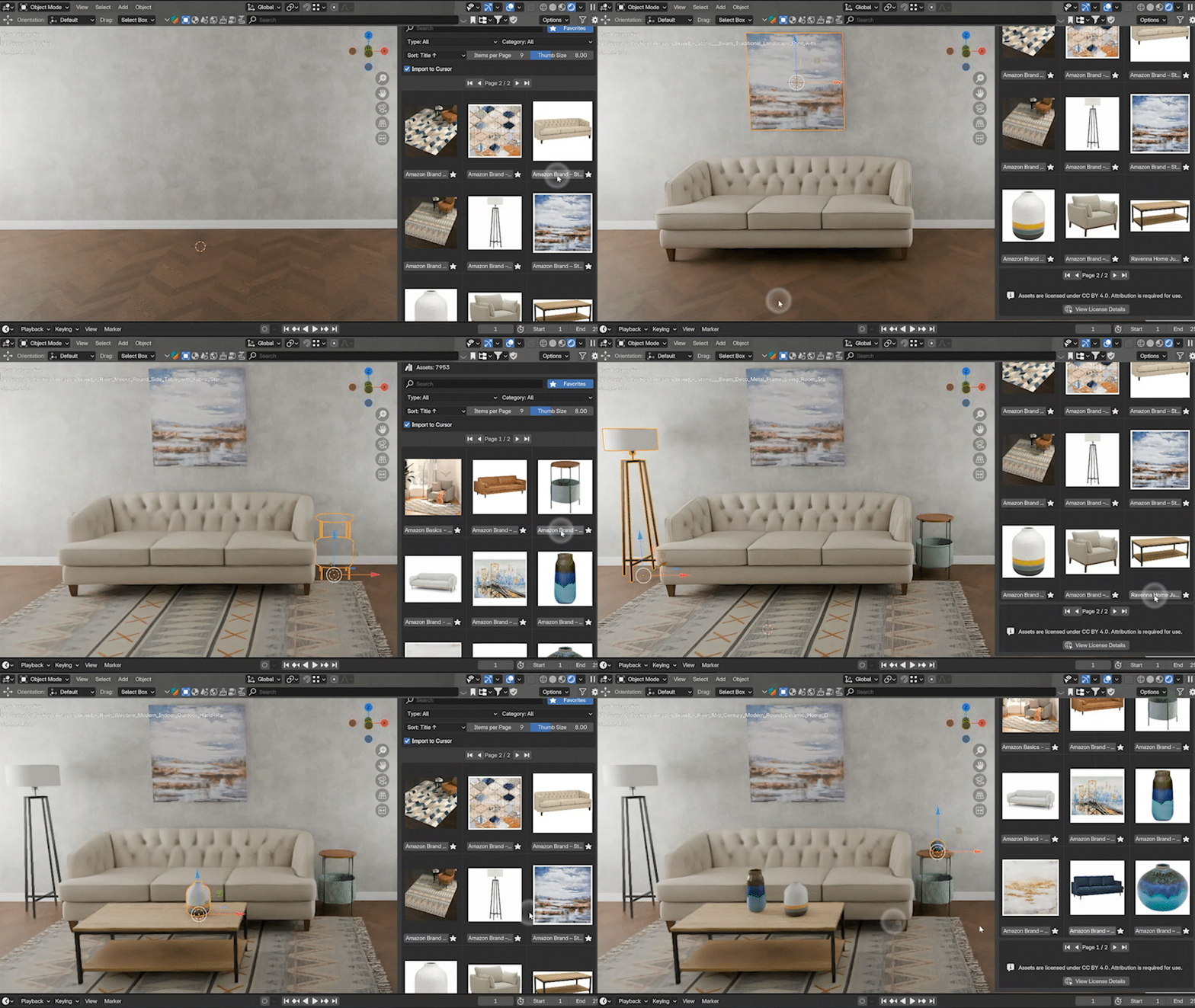
One of the most frustrating aspects of using third-party assets is the alignment process. Importing an object to the world origin only to spend precious minutes dragging, rotating, and aligning it can kill creative flow. The creator of ABO Connect addressed this common workflow headache by introducing the “Import to Cursor” feature.
By enabling this feature, new models appear exactly where you place your 3D cursor. This small addition makes tasks dramatically faster:
- Hanging objects: Click the ceiling and import the lamp.
- Populating shelves: Click along the shelf line and fill it with books and décor in seconds.
- Setting tables: Click, import, click, import—achieving perfectly placed scenes effortlessly.
Technical Specs and Affordability
ABO Connect is available on Superhive (formerly Blender Market) for only $5.00. This minimal investment grants you the key to unlock the vast, high-quality Amazon Berkeley Objects (ABO) dataset of free models, offering exceptional value for both hobbyists and professional artists.
The developer is committed to the community and encourages users to reach out with feedback or ideas, ensuring that this powerful, lightweight Blender addon continues to improve and serve the needs of digital artists.
If streamlining your asset pipeline and freeing up disk space sounds appealing, ABO Connect offers a proven way to work more creatively and efficiently. For those interested in exploring similar workflow enhancements, you might be interested in checking out More Blender Addons & Tools or discovering more content focused on Blender Environments content for scene population techniques.
Source:
ABO Connect: Access 8,000+ Free, High-Quality 3D Models – Superhive (formerly Blender Market)